- Academic Programs & Support
- Academic Services
- Information Technology
- Technology Commons
Technology Commons
The Technology Commons, located on the ground floor of Hunter Library, is a place for students to enjoy a relaxing collaborative atmosphere while having access to expert technical assistance and an open-access computer lab with specialty software. We also provide Technology Support (see a list of services below), Software & Technology Training, and Apple & Dell Computer Purchasing.
Student Services
Free software support and repair is available at the Technology Commons service desk. Assistance with virus/malware removal, data backup, software installation (including operating systems), and other software issues can be requested by all WCU students. Some repairs may require computers to be checked in to the Technology Commons for more in-depth repairs. Software support is available remotely for those who are unable to visit in person; this service can be requested via the IT Help Desk at 828.227.7487 or via a self-service ticket at ithelp.wcu.edu.
Warranty repairs for Apple and Dell computers, purchased through the University's Apple and Dell websites, can be handled at the Technology Commons service desk. Some non-warranty hardware repairs are available for Apple and Dell laptops, while all other brands are eligible for hard drive and RAM replacement where possible.
Microsoft Office 365 is available for all WCU students FREE of charge. Please visit the service desk or follow our Device Setup Guide to install office.
Students have access to the Adobe Creatice Cloud software in the Technology Commons space. Some software that is needed for class can be found on VCAT. For assistance with VCAT or software downloads, visit the service desk.
Assistance with connecting smartphones, tablets, and other mobile devices to WCU student email accounts and wireless can be requested at the service desk or find the instructions online for WCU student email and wireless.
Campus email, myWCU, and Canvas account support is available at the service desk, by phone at 828.227.7487, or via a self-service ticket at ithelp.wcu.edu.
Assistance with connecting to the WCU wired or wireless network is available at the service desk or by appointment through the IT Help Desk at 828.227.7487. Technology Commons' staff also provide networking assistance for residence halls.
Assistance with modeling and printing using the 3D Printers located in the 3DU Makerspace. Students may receive training to print and scan the items themselves or submit their designs via the 3DU website. Designs can be printed in a variety of colors and qualities for a small fee.
Faculty & Staff Services
WCU faculty and staff can obtain basic support for WCU issued computers at the Technology Commons service desk.
Faculty and staff can have WCU email and myWCU passwords reset at the service desk. A valid photo ID (Cat Card, drivers license, passport, military ID, etc.) is required for password resets.
Microsoft Office 365 is available FREE of charge for your work and personal devices. Please visit the service desk or follow our device setup guide to install office.
Assistance with connecting to WCU email and wireless on various mobile devices is available at the service desk.
Assistance with connecting to the WCU wired or wireless network is available at the service desk or by appointment through the IT Help Desk at 828.227.7487.
Assistance with modeling and printing using the 3D Printers located in the 3DU Makerspace. Faculty and staff may receive training to print and scan the items themselves or submit their designs via the 3DU website. Designs can be printed in a variety of colors and qualities for a small fee.
The Technology Commons can also work with Faculty members to incorporate 3D printing and modeling into their class cirriculum and are available for classroom visits by appointment. For ideas and past projects go to our 3DU website

Connect with Us
Hours of Operation
Walk-Up Support Standard Hours:
Monday-Thursday: 7:30am - 9:00pm ET
Friday: 7:30am - 6pm ET
Saturday-Sunday: 1pm - 6pm ET
Lab Space Standard Hours:
The lab is open whenever the library is open! Hunter Library Hours
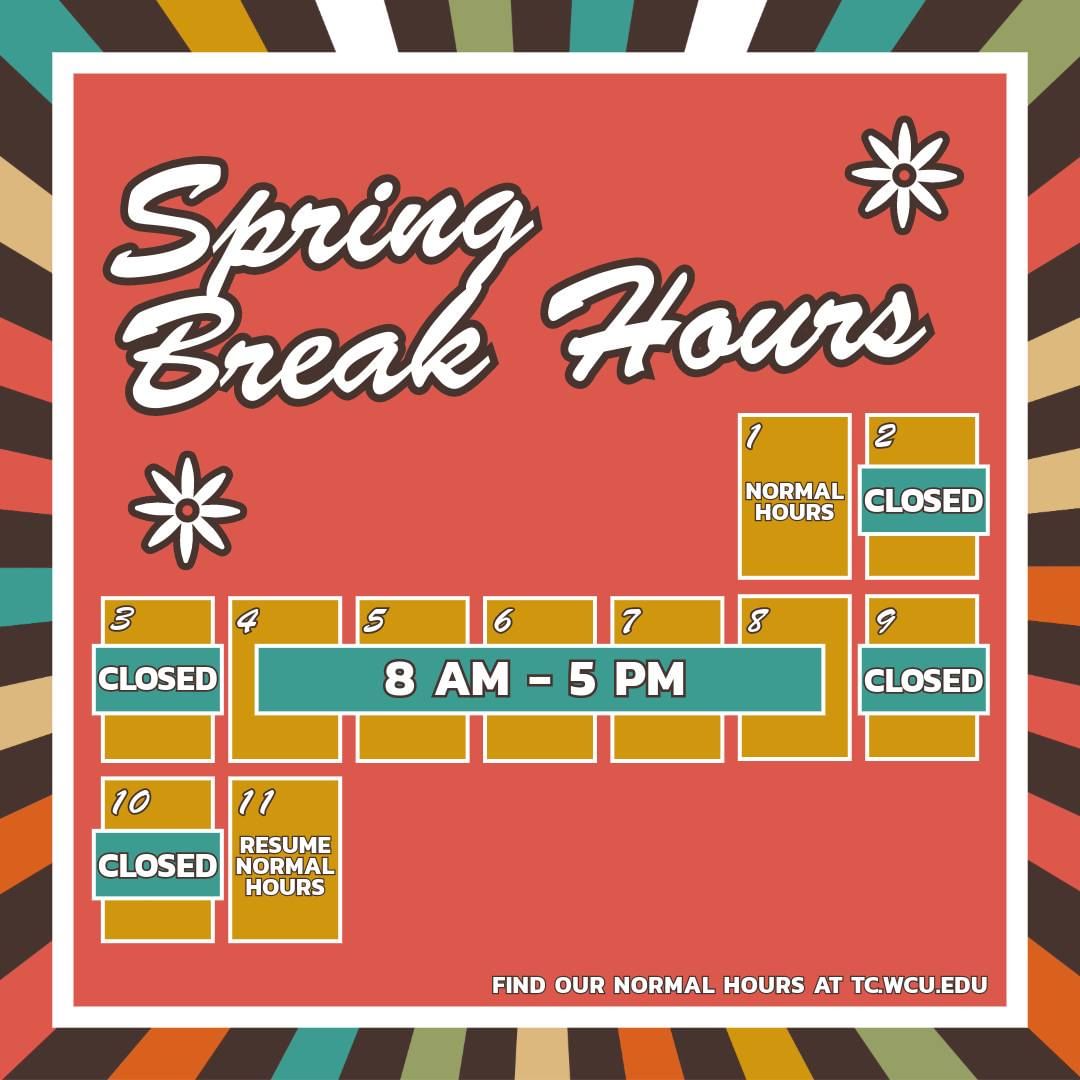
Please note: Availability is subject to change based on semester breaks, holidays,
etc. For specific availability please visit our social media: